May 23

How I Work With AIs, LLMs, Copilot, or Whatever You Want To Call It

I would assume most developers are using some kind of LLM to do their software development and I'm no different. It's really picked up over the last year and had a huge impact on how I work. I put this out here in hopes that it helps one of you refine your development process primarily. Secondarily, I want to start a conversation or two about how I can improve my process. So if you have any ideas on how I can improve my toolbox/toolkit, let me know!

I Am What I Am

My daily driver for programming is C#. I branch out from there to pick up any other needed skills/languages (i.e. SQL, Python, JavaScript, Vue.js, etc). I use Visual Studio but I don't use the built-in GitHub Copilot. I do sometimes for detailed work such as when I need a change made to a method or a selection in a class that is too big for it's pants. If you don't know what the 'S' in S.O.L.I.D. stands for, you better ask a senior developer/architect. If they don't know, they may not be the best influence on you and your programming. Single Responsibility, am I right?

For each git repo I'm working on, I use a single Windows Terminal running Powershell. This window is split into 2 panes. The left half runs GitHub Copilot CLI and the right is open to a command line at the root of the repository.

The Setup

The Left (GitHub Copilot CLI)

GitHub Copilot has a CLI (command line interface)?

Why yes, GitHub Copilot CLI does exist. It's pretty cool. Give it a shot.

What model are you using?

For the most part, I keep model selection on Auto. If I run into a scenario where I want to specifically use another model, I'll make the change. Auto gets me where I need to go most of the time. Looking at the list of models in GitHub Copilot CLI on this machine, I see there is a 10% discount if you use Auto. Good to know. If I had to pick, I like using the Claude models more than the GPT models. Whether or not I'm getting the correct answer to a prompt is the ultimate metric here.

What MCP servers are you using?

That's it? Nothing else?

Yep. That's it for now. I need to start playing around with some other MCP servers and see what benefits they can deliver. Do you have any suggestions? Let me know.

The Right (Powershell window)

I have posh-git installed. This provides me a quick heads up of the status of the repo. This window is primarily used to interact with the git repo (i.e. status/fetch/push/pull/checkout/commit/branch/rebase/etc.). It can also be used to run various ad-hoc commands from the command line directly in this pane. As long as my commits are on the smaller size (as in the number of files in the index) I don't mind doing commits here. Bigger commits I'll use Visual Studio's Git Changes window or sometimes GitHub Desktop depending on how I'm feeling about the work.

What kind of monitor setup are you using?

I primarily use a multi-monitor setup both at work and at home. If we are talking about 2 monitors, I'll put the Windows Terminal on the left and Visual Studio on the right. For 3, I'll usually put the Windows Terminal on the middle screen and then put Visual Studio on either the left or right side.

How many monitors do you need?

More and bigger. If the monitor gets too big, there are always tools to subdivide your monitor like snap layouts in Windows 11 or FancyZones in the Microsoft PowerToys.

What skills am I using?

Good question...that'll be answered in one of my next blog posts. See you then!

November 21

Talking about .NET Testing using NCrunch on the Azure & DevOps Podcast

Have you heard of the Azure & DevOps Podcast?

No? Well let me tell you about it. The Azure & DevOps Podcast is hosted by Jeffrey Palermo of Clear Measure. The stated intent of the podcast is to help you ship software more quickly and more reliably.

Jeffrey was kind enough to have me on his podcast to talk about ".NET Testing using NCrunch". If you'll recall, I put together a lightning talk, Supercharge Your .NET Testing with NCrunch, earlier this year over NCrunch. I like NCrunch and you should too. It will help decrease the amount of time you spend in the write code, execute unit tests, and refactor loop. With AI intruding into the development process and a solid testing strategy, it will help you decrease the amount of time spent to evaluate whether or not changes made by various AI agents is indeed correct.

Anyway, if you'd like to know more, check out the podcast!

Category: .NET, C#, Talks, Tools | Comments Off on Talking about .NET Testing using NCrunch on the Azure & DevOps Podcast
July 26

Combined Paging

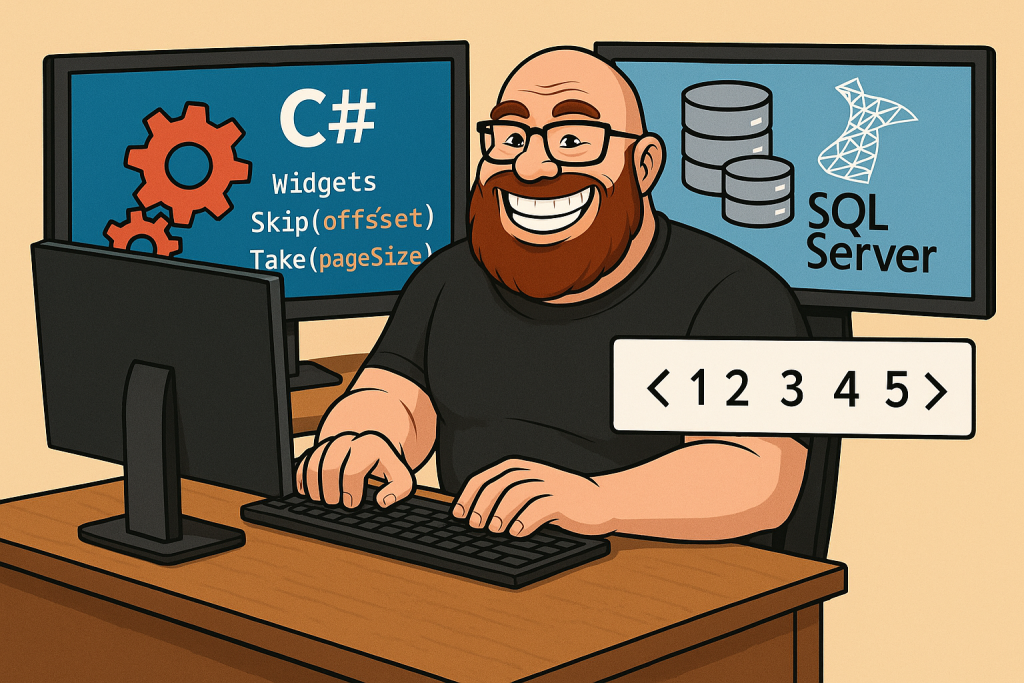
The CodeGorilla combines widgets created in code and widgets loaded from a database and then pages the results.

What am I doing?

I came across an interesting requirement the other day. I'm sure we're all familiar with paging. Usually you use it with a database with a large amount of rows in a result set. The code to do that with LINQ is pretty straightforward. In this particular case we are working with widgets.

var offset = (page - 1) * pageSize;
var results = await dbContext.Widgets.Skip(offset).Take(pageSize).ToArrayAsync();

As you can see, there are 2 variables/parameters.

Name Description
page specifies the requested page of results to return (it's also 1-based in this case)
pageSize specifies the maximum number of widgets to return for each page
  • Since we are using the skip/take approach to paging, I'll calculate the offset (the number of widgets to skip over to get to the first widget in the requested page).
  • Once the offset is calculated, run the query and .Skip() and .Take() my way to return the page of widgets I need.

That's pretty clear to do, but what happens when I need to combine 2 sources of Widgets in a paged result set?

The Requirements

Static Widgets Retrieval

  • Retrieve the static widgets for the requested page using a black-box method (GetStaticWidgets).
  • The static items should be paged according to the current page and page size.

    Database Widgets Retrieval

  • Retrieve the database widgets for the requested page using a black-box method (GetDbWidgets).
  • The database widgets should be paged according to the current page and page size, but only after static widgets are considered.

    Paging Logic

  • If static widgets are available for the requested page, fill the page with as many static widgets as possible.
  • If the number of static widgets is less than the page size, fill the remainder of the page with database widgets.
  • If there are no static widgets for the requested page, fill the page entirely with database widgets.
  • If the requested page exceeds the total number of available widgets, return an empty result.

    Result Construction

  • The result must be a concatenation of the static widgets (if any) and the database widgets (if any) for the requested page.
  • The order of widgets must be preserved: static widgets first, then database widgets.

The Code

    public void CombinedPaging_ReturnsExpectedItems(int page = 1, int pageSize = 5, int staticItemCount = 5, int dbItemCount = 5, string[]? expected = null)
    {
        // Calculate the offset for the requested page
        var requestedOffset = (page - 1) * pageSize;
        var dbOffset = requestedOffset;
        var dbTake = pageSize;

        // Get all static widgets (static items)
        var staticWidgets = GetStaticWidgets(staticItemCount);
        var staticWidgetsCount = staticWidgets.Length;
        // Page the static widgets for the current page
        staticWidgets = staticWidgets.Skip(requestedOffset).Take(pageSize).ToArray();

        // If there are any static widgets, determine how many db widgets to fetch
        if (staticWidgetsCount > 0)
        {
            // Calculate the offset for db widgets, accounting for static widgets
            dbOffset = int.Max(0, requestedOffset - staticWidgetsCount);
            if (requestedOffset < staticWidgetsCount)
            {
                // If static widgets fill part of the page, only take the remainder from db
                dbTake = int.Max(0, pageSize - staticWidgets.Length);
            }
            else
            {
                // If static widgets are exhausted, take a full page from db
                staticWidgets = [];
                dbTake = pageSize;
            }
        }

        // Get the db widgets for the calculated offset and take
        var dbItems = GetDbWidgets(dbItemCount, dbOffset, dbTake);

        // Combine static and db widgets for the final result (static first, then db)
        var actual = staticWidgets.Concat(dbItems);

        // Assert that the actual result matches the expected result
        actual.ShouldBe(expected);
    }

The Repository

...and that's how it got done (basically). If you'd like to get a copy of this code, you can get it from my GitHub Repository.

Why would you do this?

For starters, it's what was asked for in the work item. Second, when I was getting started in developing software that used databases, best practice was that you pull back only what you need. No more, no less. That's what this code does. The code that generates the static widgets is going to execute everytime this code is run because the number of static widgets determines the number of widgets I need to pull from the databse.

Anyway, nothing earth-shattering, but I found it an interesting bit of code to write and I hope you did too. If you have any questions or comments, please let me know!

The CodeGorilla combines widgets created in code and widgets loaded from a database and then pages the results. He's smiling for Garo.

Category: .NET, C#, LINQ | Comments Off on Combined Paging
March 14

Speaking at the March 2025 North Houston .NET User Group

At the upcoming North Houston .NET User Group meeting (3/20/2025), Tony Cardella, Software Engineer and Software Engineering Capability Lead at BJSS, will be delivering a lightning talk on the topic of NCrunch.

Title: Supercharge Your .NET Testing with NCrunch

Tired of waiting for tests to run? NCrunch is a powerful continuous testing tool for .NET that runs your tests in the background, providing instant feedback, real-time code coverage, and parallel execution to speed up development. In this lightning talk, we’ll explore how NCrunch works, highlight its key features, and see it in action with a quick demo.

More information is available here: https://www.meetup.com/nhdnug/events/305901663/

Hope to see you there!

Category: .NET, BJSS, C#, Tools, unit testing | Comments Off on Speaking at the March 2025 North Houston .NET User Group
December 1

Advent of Code 2024

It's that time of year again. That's right it's Christmas time and that means...Advent of Code!

Why am I doing Advent of Code this year?

  1. I'm trying to learn Python better. This is the perfect excuse.
  2. My employer, BJSS, is a sponsor again this year.

Language + Tech Stack

In previous years, I've done AoC with .NET/C#, but this year I will be using Python. While an IDE is not needed for Python, I've decided to use JetBrains PyCharm. Check it out if you haven't seen it. I'm still learning the shortcuts, which reminds me to print out the shortcuts. I like using unit testing to help verify that my code works and for that I'll be using pytest. I've been using NCrunch as my .NET continuous test runner but I'll have to use something else for Python; pytest-watch.

Source Control

Git/GitHub is my source control of choice. I added a CI/CD pipeline to validate the code once it's been pushed to the master branch.

Workflow

  1. Setup the code for the puzzle of the day (i.e. add the boilerplate code, but try to keep the amount down)
  2. Read the prompt for part 1.
  3. Start writing code to get the example working for part 1.
  4. Once the code is running with the example, run it against the actual input.
  5. Submit the actual output value.
  6. If the answer is incorrect, rework the code and go to step 4.
  7. If the answer is correct, update the expected value for the part 1 test so that it's green.
  8. Read the prompt for part 2.
  9. Start writing code to the example working for part 2.
  10. Once the code is running with the example, run it against the actual input.
  11. Submit the actual output value.
  12. If the answer is incorrect, rework the code and go to step 10.
  13. If the answer is correct, update the expected value for the part 2 test so that it's green.
  14. Commit the puzzle as is to Git.
  15. Refactor the code til it looks presentable to the public and/or resolve any perf issues.
  16. Commit the refactored code to Git.
  17. Done.

Where can I see your progress?

You can see my progress on my GitHub repo.

Category: .NET, Advent of Code, BJSS, C#, Python | Comments Off on Advent of Code 2024
September 21

gRPC + .NET: Lessons from the Trenches Retrospective

Now that I've had a chance to slow down a bit let's do some creative writing. Let's talk about the "gRPC + .NET: Lessons from the Trenches" talk I gave at the North Houston .NET User Group. As I said previously, the talk was received well and I was really happy about that.

The inspiration or the idea to talk about gRPC came from the work I was doing at a large oil & gas company located in the Energy Corridor in Houston, Texas. My stint on the project lasted about 20 months.

This was actually the 3rd time I've given the talk. The first time was for an internal BJSS event in April of 2024. The second was at the Houston .NET User Group back in June 2024. The neat thing about taking a talk from scratch all the way through several iterations is how the presentation "feels". You should find potholes as you go and make notes to double back to correct and/or add to them.

The intent with the talk was to answer the following questions:

  • What is gRPC?
  • Can you give some evidence that shows that gRPC out-performs REST API?
  • Have you ever used gRPC on a real project?
  • What were some of the issues/problems you encountered and how did you work around them?
  • When should you use gRPC?
  • When should you NOT use gRPC?

I feel like when I got to the 3rd iteration of the talk I was answering all those questions completely and coherently. Including the benchmarks in this version of the talk was a good addition and I'll credit Daniel Wright, Principal Technologist @ BJSS Houston with the idea for that one.

I was surprised that the audience this time around had more experience with gRPC than I was expecting. This lead to alot of good questions and some leading questions that came up right before I answered them on the next slide. The talk started to take on more of a conversation kind of feel than a lecture.

While I did have fun putting this talk together and giving it, I don't think I'm going to hang up my developers hat yet. I'm sure there is still a project out there that needs my help! Now it's time to find another topic to talk about and then probably re-do the circuit next year.

Category: .NET, BJSS, C#, gRPC | Comments Off on gRPC + .NET: Lessons from the Trenches Retrospective
September 20

gRPC + .NET: Lessons from the Trenches Powerpoint Slide Deck

Hey! If you were one of the people who came out to the September 2024 North Houston .NET User Group meeting tonight...thank you! You all were a great audience and I loved the interaction.

As promised, here is a copy of my Powerpoint slide deck (gRPC + .NET: Lessons From the Trenches). Feel free to ask questions if you still have any.

Have a suggestion for another talk I should do? Let me know and if there is enough there I can put one together.

Category: .NET, ASP.NET, ASP.NET Core, C#, gRPC | Comments Off on gRPC + .NET: Lessons from the Trenches Powerpoint Slide Deck
September 11

How to Host a gRPC Service With an Azure App Service (as of 9/10/2024 anyway…)

I'm giving a talk on gRPC next week and I wanted to add more content around some gRPC benchmarks. The recent work I was doing for a client with gRPC was hosted in containers and hosted in AWS. This worked well and we had minimal issues once we got it up and running. For the benchmarks I'm looking to run, I just needed to host the gRPC service in an Azure App Service. Now that I found the correct documentation, this is a piece of cake and I'd like to point it out to anybody else who might be looking for this information in the future.

This is the documentation for deploying a gRPC app on an Azure App Service:

I can confirm that this will also work for .NET 8. It was not working for .NET 9 as of 9/11/2024. I'd expect that to get fixed in the near future.

Category: .NET, ASP.NET, ASP.NET Core, Azure, C#, gRPC | Comments Off on How to Host a gRPC Service With an Azure App Service (as of 9/10/2024 anyway…)
April 26

Another Update to My High Score

I have a job change coming up and I thought it would be a good idea to do an update to New High Score (update)! and New High Score! posts. Since those 2 posts I've had a couple work items that required updates to that monster class. Here is what the metrics look like now.

Maintainability IndexCyclomatic ComplexityDepth of InheritanceClass CouplingLines of Source Code
5094872102660516
Code metrics covering the class in aggregate.
Maintainability IndexCyclomatic ComplexityDepth of InheritanceClass CouplingLines of Source Code
512237822
0215481180
0284221237
Code metrics covering the 3 longest methods in the class.

I'm a big believer in leaving a code base better than you found it. I had a couple work items that required me to go in and refactor this monster class a bit. As a developer I feel a lot more comfortable making these kinds of changes (i.e. Strangler Fig design pattern) when I have the proper tools such as JetBrains ReSharper. The payoff for this change was that it allowed me to write unit tests to cover the part of the class that I needed to complete the work items. When you have a code base that is this convoluted, it's nice to have a series of unit tests to proof that the changes you made to the code base work. This came in handy in a discussion with a QA guy. I was able to walk him through each one of the tests I had written. Turns out the issue was in a basic understanding of the work item the way it was written. However, my code worked correctly in the end and I could prove it.

I wasn't the only one working on this code. There were at least 2 or 3 teams making changes to this code.

Category: .NET, C#, Design Patterns | Comments Off on Another Update to My High Score
August 13

What Is Your Philosophy on Unit Testing?

The purpose behind unit testing is to help ensure the code you have written performs as expected. The running of unit tests can be more effective when it is automated on a developers machine and as part of your CI/CD pipeline. Automated unit tests can also take the load off of limited QA resources by letting them focus on higher level testing (i.e. integration testing, regression testing, and acceptance testing).

Nowadays, when I'm handed a new code base to work on, I treat it as suspect. I have no idea if the code base will even run. If it does run, how do I know that it runs correctly? Unit tests will help me determine what shape the code base is in.

In general, I follow the red-green-refactor approach when writing unit tests. I write my tests in this order typically:

  1. Cover the happy paths through the code you are testing.
  2. Cover the upper and lower ends of inputs to your code.
  3. Cover any know edge cases known at the time.
  4. As a follow on to this process, if and when bugs are reported against code that I'm maintaining, I can then write a unit test to reproduce the bug and it will also tell me when it is fixed satisfactorily.

What unit testing framework do you like the best and why?


xUnit.net hands down. xUnit.net requires fewer attributes to set your tests up (i.e. Fact and Theory). Another feature I think is neat is using a class's constructor (w/o any attributes) as a setup method for your unit tests. This is great because it follows the way classes work naturally.

What other unit testing frameworks have you used?


I have used NUnit and Visual Studio Unit Testing Framework (aka MSTest). I prefer NUnit to MSTest though.

What is the right amount of code coverage?


If I have to give a number, I would say between 70% and 80%. I would have a higher number for code that is heavily used and relied upon by other parts of the solution.

How would you go about writing unit tests?


I like using TDD on more complicated/intricate code because it let's you work your way through the code step by step. I prefer a Given-When-Then (GWT) approach over Arrange-Act-Assert (AAA). The GWT approach allows you to write more human-readable unit tests. The AAA approach works, but is not as easily readable. In general, writing clear and understandable code is the goal. Here are a couple links that talk about GWT vs AAA:

Always code as if the guy who ends up maintaining your code will be a violent psychopath who knows where you live. Code for readability.

John Woods

What other tools can be used to improve unit tests?

What are some pitfalls of unit testing?

  • Testing the wrong thing - Software development teams need to make sure they are writing unit tests to cover code that they have written.
  • Getting lost in setup hell - This occurs when the setup for your unit tests starts to become tedious and takes a lot of time to get right. Using a GWT style seems to help with this.
  • "I'll just comment out this unit test to get things working so I can check in my changes." - I think this is just developers being lazy and apathetic about the changes being made to the solution. It is not a behavior I would encourage on my software development team.

So that's my current philosophy on unit testing. What do you think? Am I wrong? Did I miss something? Feel free to post a comment or send me an email.

Thanks to Risa for the good question!

Category: .NET, C#, interview questions, unit testing | Comments Off on What Is Your Philosophy on Unit Testing?