May 23

How I Work With AIs, LLMs, Copilot, or Whatever You Want To Call It

I would assume most developers are using some kind of LLM to do their software development and I'm no different. It's really picked up over the last year and had a huge impact on how I work. I put this out here in hopes that it helps one of you refine your development process primarily. Secondarily, I want to start a conversation or two about how I can improve my process. So if you have any ideas on how I can improve my toolbox/toolkit, let me know!

I Am What I Am

My daily driver for programming is C#. I branch out from there to pick up any other needed skills/languages (i.e. SQL, Python, JavaScript, Vue.js, etc). I use Visual Studio but I don't use the built-in GitHub Copilot. I do sometimes for detailed work such as when I need a change made to a method or a selection in a class that is too big for it's pants. If you don't know what the 'S' in S.O.L.I.D. stands for, you better ask a senior developer/architect. If they don't know, they may not be the best influence on you and your programming. Single Responsibility, am I right?

For each git repo I'm working on, I use a single Windows Terminal running Powershell. This window is split into 2 panes. The left half runs GitHub Copilot CLI and the right is open to a command line at the root of the repository.

The Setup

The Left (GitHub Copilot CLI)

GitHub Copilot has a CLI (command line interface)?

Why yes, GitHub Copilot CLI does exist. It's pretty cool. Give it a shot.

What model are you using?

For the most part, I keep model selection on Auto. If I run into a scenario where I want to specifically use another model, I'll make the change. Auto gets me where I need to go most of the time. Looking at the list of models in GitHub Copilot CLI on this machine, I see there is a 10% discount if you use Auto. Good to know. If I had to pick, I like using the Claude models more than the GPT models. Whether or not I'm getting the correct answer to a prompt is the ultimate metric here.

What MCP servers are you using?

That's it? Nothing else?

Yep. That's it for now. I need to start playing around with some other MCP servers and see what benefits they can deliver. Do you have any suggestions? Let me know.

The Right (Powershell window)

I have posh-git installed. This provides me a quick heads up of the status of the repo. This window is primarily used to interact with the git repo (i.e. status/fetch/push/pull/checkout/commit/branch/rebase/etc.). It can also be used to run various ad-hoc commands from the command line directly in this pane. As long as my commits are on the smaller size (as in the number of files in the index) I don't mind doing commits here. Bigger commits I'll use Visual Studio's Git Changes window or sometimes GitHub Desktop depending on how I'm feeling about the work.

What kind of monitor setup are you using?

I primarily use a multi-monitor setup both at work and at home. If we are talking about 2 monitors, I'll put the Windows Terminal on the left and Visual Studio on the right. For 3, I'll usually put the Windows Terminal on the middle screen and then put Visual Studio on either the left or right side.

How many monitors do you need?

More and bigger. If the monitor gets too big, there are always tools to subdivide your monitor like snap layouts in Windows 11 or FancyZones in the Microsoft PowerToys.

What skills am I using?

Good question...that'll be answered in one of my next blog posts. See you then!
November 21

Talking about .NET Testing using NCrunch on the Azure & DevOps Podcast

Have you heard of the Azure & DevOps Podcast?

No? Well let me tell you about it. The Azure & DevOps Podcast is hosted by Jeffrey Palermo of Clear Measure. The stated intent of the podcast is to help you ship software more quickly and more reliably.

Jeffrey was kind enough to have me on his podcast to talk about ".NET Testing using NCrunch". If you'll recall, I put together a lightning talk, Supercharge Your .NET Testing with NCrunch, earlier this year over NCrunch. I like NCrunch and you should too. It will help decrease the amount of time you spend in the write code, execute unit tests, and refactor loop. With AI intruding into the development process and a solid testing strategy, it will help you decrease the amount of time spent to evaluate whether or not changes made by various AI agents is indeed correct.

Anyway, if you'd like to know more, check out the podcast!

Category: .NET, C#, Talks, Tools | Comments Off on Talking about .NET Testing using NCrunch on the Azure & DevOps Podcast
March 22

Supercharge Your .NET Testing with NCrunch – The Slide Deck

On Thursday, March 20, 2025, I gave a lightning talk at the North Houston .NET User Group meeting in The Woodlands, Texas. If you are interested in the slide deck I put together here's the PowerPoint presentation; Supercharge Your .NET Testing with NCrunch.

The slide deck doesn't really have anything earth shattering. I used it mostly as a guide for what I wanted to cover.

I felt the talk went well. I was hoping for alot of audience participation which I got. Turns out there are a few people who have used NCrunch who were there. It was a good opportunity to compare notes.

TLDR; NCrunch is awesome and you should use it.

If there are any additional questions, let me know and I'll get them answered.

Category: .NET, Tools, unit testing | Comments Off on Supercharge Your .NET Testing with NCrunch – The Slide Deck
March 14

Speaking at the March 2025 North Houston .NET User Group

At the upcoming North Houston .NET User Group meeting (3/20/2025), Tony Cardella, Software Engineer and Software Engineering Capability Lead at BJSS, will be delivering a lightning talk on the topic of NCrunch.

Title: Supercharge Your .NET Testing with NCrunch

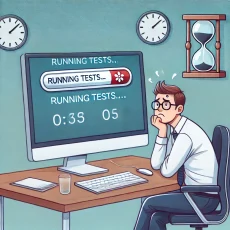
Tired of waiting for tests to run? NCrunch is a powerful continuous testing tool for .NET that runs your tests in the background, providing instant feedback, real-time code coverage, and parallel execution to speed up development. In this lightning talk, we’ll explore how NCrunch works, highlight its key features, and see it in action with a quick demo.

More information is available here: https://www.meetup.com/nhdnug/events/305901663/

Hope to see you there!

Category: .NET, BJSS, C#, Tools, unit testing | Comments Off on Speaking at the March 2025 North Houston .NET User Group
November 18

When I Get a New Job, I’m Updating My Licenses

If you've been paying attention to LinkedIn, you've probably noticed that I am looking for a new job. If you are hiring and you would like to talk, shoot me an email.

When I get this new job and I have some income, I'm going to update my licenses for the following Linqpad and NCrunch.

LINQPad

I love this app. I first used this back during my tenure at Logica when we were working with StreamInsight. It's a good app to use to be able to quickly test out chunks of C#, VB.NET, and F# code. The app is extensible so you can download other drivers that let you hook up to other SQL/NoSQL databases. Really cool for learning/prototyping code. Check out the website for more information: https://www.linqpad.net.

NCrunch

NCrunch is an automated concurrent testing for Visual Studio. What that means in English is that you can configure it to run your unit tests as you are typing your code. You can configure it to run the unit tests that are impacted by the changes you make so you aren't running the entire suite of unit tests. This is very handy, especially if you have good code coverage. It even collects code coverage numbers and performance metrics. More information can be found on the website: https://www.ncrunch.net.

Category: .NET, Reactive Extensions, Tools, unit testing | Comments Off on When I Get a New Job, I’m Updating My Licenses