July 26

Combined Paging

The CodeGorilla combines widgets created in code and widgets loaded from a database and then pages the results.

What am I doing?

I came across an interesting requirement the other day. I'm sure we're all familiar with paging. Usually you use it with a database with a large amount of rows in a result set. The code to do that with LINQ is pretty straightforward. In this particular case we are working with widgets.

var offset = (page - 1) * pageSize;
var results = await dbContext.Widgets.Skip(offset).Take(pageSize).ToArrayAsync();

As you can see, there are 2 variables/parameters.

Name Description
page specifies the requested page of results to return (it's also 1-based in this case)
pageSize specifies the maximum number of widgets to return for each page
  • Since we are using the skip/take approach to paging, I'll calculate the offset (the number of widgets to skip over to get to the first widget in the requested page).
  • Once the offset is calculated, run the query and .Skip() and .Take() my way to return the page of widgets I need.

That's pretty clear to do, but what happens when I need to combine 2 sources of Widgets in a paged result set?

The Requirements

Static Widgets Retrieval

  • Retrieve the static widgets for the requested page using a black-box method (GetStaticWidgets).
  • The static items should be paged according to the current page and page size.

    Database Widgets Retrieval

  • Retrieve the database widgets for the requested page using a black-box method (GetDbWidgets).
  • The database widgets should be paged according to the current page and page size, but only after static widgets are considered.

    Paging Logic

  • If static widgets are available for the requested page, fill the page with as many static widgets as possible.
  • If the number of static widgets is less than the page size, fill the remainder of the page with database widgets.
  • If there are no static widgets for the requested page, fill the page entirely with database widgets.
  • If the requested page exceeds the total number of available widgets, return an empty result.

    Result Construction

  • The result must be a concatenation of the static widgets (if any) and the database widgets (if any) for the requested page.
  • The order of widgets must be preserved: static widgets first, then database widgets.

The Code

    public void CombinedPaging_ReturnsExpectedItems(int page = 1, int pageSize = 5, int staticItemCount = 5, int dbItemCount = 5, string[]? expected = null)
    {
        // Calculate the offset for the requested page
        var requestedOffset = (page - 1) * pageSize;
        var dbOffset = requestedOffset;
        var dbTake = pageSize;

        // Get all static widgets (static items)
        var staticWidgets = GetStaticWidgets(staticItemCount);
        var staticWidgetsCount = staticWidgets.Length;
        // Page the static widgets for the current page
        staticWidgets = staticWidgets.Skip(requestedOffset).Take(pageSize).ToArray();

        // If there are any static widgets, determine how many db widgets to fetch
        if (staticWidgetsCount > 0)
        {
            // Calculate the offset for db widgets, accounting for static widgets
            dbOffset = int.Max(0, requestedOffset - staticWidgetsCount);
            if (requestedOffset < staticWidgetsCount)
            {
                // If static widgets fill part of the page, only take the remainder from db
                dbTake = int.Max(0, pageSize - staticWidgets.Length);
            }
            else
            {
                // If static widgets are exhausted, take a full page from db
                staticWidgets = [];
                dbTake = pageSize;
            }
        }

        // Get the db widgets for the calculated offset and take
        var dbItems = GetDbWidgets(dbItemCount, dbOffset, dbTake);

        // Combine static and db widgets for the final result (static first, then db)
        var actual = staticWidgets.Concat(dbItems);

        // Assert that the actual result matches the expected result
        actual.ShouldBe(expected);
    }

The Repository

...and that's how it got done (basically). If you'd like to get a copy of this code, you can get it from my GitHub Repository.

Why would you do this?

For starters, it's what was asked for in the work item. Second, when I was getting started in developing software that used databases, best practice was that you pull back only what you need. No more, no less. That's what this code does. The code that generates the static widgets is going to execute everytime this code is run because the number of static widgets determines the number of widgets I need to pull from the databse.

Anyway, nothing earth-shattering, but I found it an interesting bit of code to write and I hope you did too. If you have any questions or comments, please let me know!
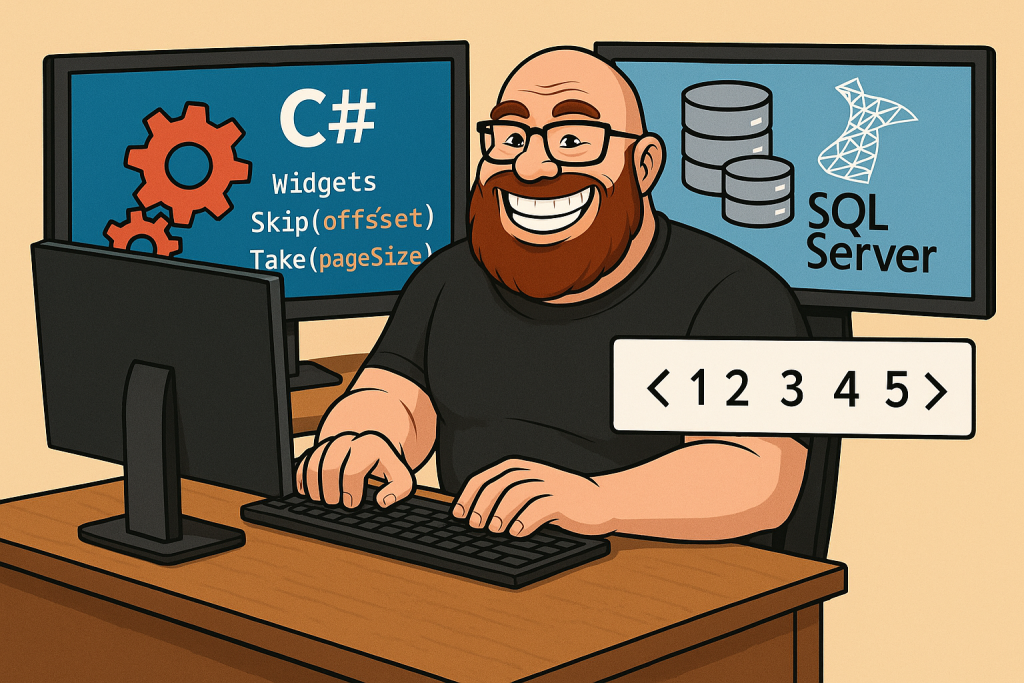
The CodeGorilla combines widgets created in code and widgets loaded from a database and then pages the results. He's smiling for Garo.

Category: .NET, C#, LINQ | Comments Off on Combined Paging
August 7

Task From A Code Test

Earlier this week I took a coding test and the first task in the test was interesting and alittle fun to complete. At the start you are given a text file with integers (one per line) that are used as an input into another process. This process has been failing because of problems with the input file. You are tasked with writing a program to validate the input files and output any errors to a separate file for use in troubleshooting. The task is to validate the file according to a set of rules.

The rules are as follows:
1.Verify that all integers in the file fall between 1 and N where N is the total number of lines in the text file.
2.Verify that all integers between 1 and N exist in the file (So if the file contains 3 lines, they should be 1, 2, and 3 in any order).
3.Output any errors to another file.

Rather than use a bunch of loops directly to iterate through the lines, I opted for a LINQ approach. Having done LINQ for so long, that approach usually looks better to me than writing the loops directly. The code is on GitHub and is available by clicking here.

Category: C#, LINQ | Comments Off on Task From A Code Test
August 3

Registering Types With the SimpleIoC Container

I've been kicking the tires on the Command Query Seperation principle/pattern lately. I've been using the CQS-Sample as a starting point. So far, the approach to breaking things down into Commands and Queries is pretty slick and much easier to unit test. The interfaces are used for dependency injection with an IoC container like SimpleIoC (which comes with MVVMLight). If you have done any work with IoC containers, you'll know that you need to register your types with the container either explicitly or through some kind of convention. With a few classes it's easy to just bang out the few lines of code you need to do it. In this case, the number of commands and queries is growing and having to explicitly register each one is becoming monotonous. So how to I register my queries and commands without having to write any code to explicitly register my types?

Assumptions:

  1. We are working with MVVMLight and SimpleIoC.
  2. For any query or command processor interface there is exactly 1 implementation of it.
  3. All queries are marked with an IQuery interface.
  4. All commands are marked with an ICommand interface (not to be confused with the System.Windows.Input.ICommand).
  5. All command processors implement ICommandProcessor<TCommand> where TCommand is a class that inherits from ICommand.

Step 1: Get an instance of MethodInfo for SimpleIoC's Register<TInterface, TClass>() method.

Normally, getting the MethodInfo for a method you'd like to invoke is more straight forward. This method has 8 overloads so some LINQ was needed to get the correct one.

var registerMethodInfo = SimpleIoc.Default.GetType().GetMethods()
.Where(m => m.Name == "Register")
.Select(m => new
{
Method = m,
Params = m.GetParameters(),
Args = m.GetGenericArguments()
})
.Where(x => x.Params.Length == 0)
.Where(x => x.Args.Length == 2)
.Select(x => x.Method)
.First();

Step 2: Get a list of all types in the current AppDomain.

This step is pretty straightforward. Notice the .ToList() call at the end of method chain. This is to make sure that when we use types in the following steps, we won't be enumerating the IEnumerable of types more than once.

var types = AppDomain.CurrentDomain.GetAssemblies().SelectMany(a => a.GetTypes()).ToList();

Step 3: Get all query interfaces that inherit from IQuery.

var queryInterfaces = from t in types
where t != typeof (IQuery)
where t.IsInterface
where typeof (IQuery).IsAssignableFrom(t)
select t;

Step 4: Create a query implementation class to query interface mapping

This step creates the query interface to query type mapping. The result is projected into an anonymous type that will be easy to use in the next step.

var queryMappings = from queryInterface in queryInterfaces
from t in types
where t.GetInterface(queryInterface.Name) == queryInterface
select new {queryInterface, Query = t};

Step 5: Register the query types

This is the last bit of reflection needed to register the queries. This code iterates of the query mappings from the previous step, gets a generic MethodInfo using the interface and implementation, and then invokes it on the current SimpleIoC instance.

foreach (var queryMapping in queryMappings)
{
var genericRegisterMethodInfo = registerMethodInfo.MakeGenericMethod(queryMapping.queryInterface, queryMapping.Query);
genericRegisterMethodInfo.Invoke(SimpleIoc.Default, null);
}

Step 6: Get a list of classes that inherit from ICommand.

var commands = from t in types
where t != typeof (ICommand)
where typeof (ICommand).IsAssignableFrom(t)
select t;

Step 7: Make the ICommandProcessor<T> interfaces.

This is an interesting step in the process. The command processors do not have a common non-generic interface, so we'll have to make the generic type of ICommandProcessor<TCommand>.


var commandProcessorInterfaces = from command in commands
select new {CommandProcessorInterface = typeof (ICommandProcessor<>).MakeGenericType(command)};

Step 8: Map ICommandProcessor<T> interfaces to ICommandProcessor<T> implementations

Now we'll create the mapping between the ICommandProcessor<TCommand>s and their implementations.

var commandProcessorMappings = from commandProcessorInterface in commandProcessorInterfaces
from t in types
where t.GetInterface(commandProcessorInterface.CommandProcessorInterface.Name) == commandProcessorInterface.CommandProcessorInterface
select new {commandProcessorInterface.CommandProcessorInterface, CommandProcessor = t};

Step 9: Register the command processor types

Same thing as step 5. Just iterating over the command mappings to make the generic MethodInfos and then invoking them on the current SimpleIoC instance.

foreach (var commandProcessorMapping in commandProcessorMappings)
{
var genericRegisterMethodInfo = registerMethodInfo.MakeGenericMethod(commandProcessorMapping.CommandProcessorInterface, commandProcessorMapping.CommandProcessor);
genericRegisterMethodInfo.Invoke(SimpleIoc.Default, null);
}

And that's how I register all my command processors and queries through reflection. LINQ and Reflection FTW!

Are there better approaches? Sure. Are there better IoC containers out there? You betcha. But, this approach is Good Enough™ for now.

Category: C#, LINQ | Comments Off on Registering Types With the SimpleIoC Container